

On this page
- What an SEO friendly website really is
- Step 1: Research keywords before you design
- Step 2: Plan a clear site structure
- Step 3: Choose an SEO friendly platform
- Step 4: Use clean, readable URLs
- Step 5: Design for mobile and speed
- Step 6: Build crawlable navigation and internal links
- Step 7: Write content for each page
- Step 8: Add structured data
- Step 9: Set up technical foundations
- Step 10: Pre launch SEO checklist
- Choosing a developer or agency who understands SEO
- After launch: the first 30 days
- Site structure examples you can copy
- Choosing a platform: SEO pros and cons
- Page templates every business website needs
- Robots.txt and sitemap setup at launch
- Structured data to add at launch
- Accessibility helps SEO too
- Redesigning a site without losing rankings
- Design choices that quietly hurt SEO
- Building a local business website for search
- Walk through: planning a new site for a cleaning company
- Content to prepare before launch
- Hosting and domain choices
- Measuring success after launch
- SEO friendly website checklist
- Common mistakes when building a new website
- FAQs
Many businesses build a website first and think about SEO later. That often means rebuilding pages, changing URLs and losing time. Planning SEO into the design and development process avoids those problems.
This guide explains how to build an SEO friendly website step by step, from keyword research and site structure to platform choice, technical setup and a pre launch checklist.
Senior specialists map your SEO and AI search priorities within 1 business day.
Get my SEO plan Chat on WhatsApp- Do keyword research before designing the site map.
- Plan one page for each main service, product group or location.
- Choose a platform that lets you edit titles, URLs, redirects and schema.
- Build for speed and mobile from the start.
- Run a full SEO checklist before launch and set up Search Console on day one.
What an SEO friendly website really is
An SEO friendly website is one that search engines can crawl, understand and trust easily, and that visitors find quick and simple to use. It has a clear structure, one focused page for each main service or product, clean URLs, fast mobile pages, helpful content and the technical basics in place from the first day.
Building a website with SEO in mind is far cheaper than fixing SEO after launch. Decisions about structure, platform, URLs and templates are hard to change later without redirects, rewrites and lost rankings. The ten steps below take you from keyword research to launch, and the sections after them cover platforms, templates, redesigns and the design choices that quietly hurt rankings.
Step 1: Research keywords before you design
Your site structure should follow how customers search. List your services, products and locations, then research the keywords people use for each. This tells you which pages you need and what to call them. Follow our keyword research guide.
Step 2: Plan a clear site structure
Group pages into logical sections, keep important pages within three clicks of the homepage and map one primary keyword to each page.
Home
  Services
    Roof repair
    Roof replacement
    Gutter installation
  Locations
    Leeds
    Bradford
  Guides
  About
  Contact
Step 3: Choose an SEO friendly platform
| Feature | Why it matters |
|---|---|
| Edit titles and meta descriptions | Every page needs unique metadata |
| Custom URLs | Clean, keyword based URLs |
| 301 redirects | Keep rankings when URLs change |
| XML sitemap and robots.txt control | Help search engines crawl |
| Schema support | Rich results and AI understanding |
| Fast hosting and caching | Page speed and Core Web Vitals |
WordPress, Shopify, Webflow and many others can work well when set up properly. See best WordPress SEO plugins if you choose WordPress.
Step 4: Use clean, readable URLs
| Avoid | Use |
|---|---|
| example.com/page?id=4821 | example.com/roof-repair |
| example.com/services/services-roof-repair-leeds-best | example.com/locations/leeds |
| Capital letters and spaces | Lowercase words with hyphens |
Decide your URL patterns before launch so you do not need to change them later. Our guide on subdomain vs subfolder for SEO explains where blogs and sections should live.
Step 5: Design for mobile and speed
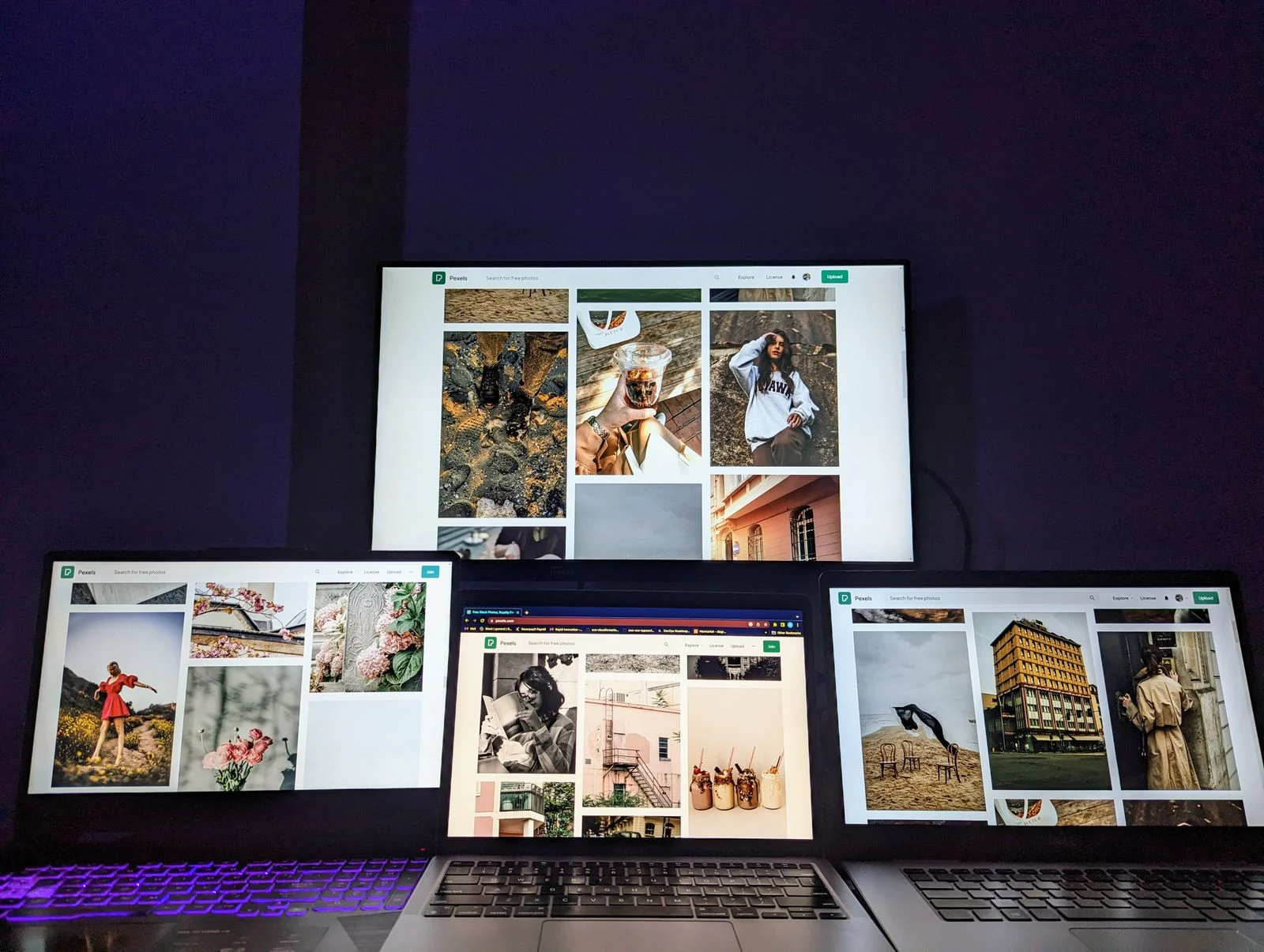
Responsive design
One layout that adapts to every screen keeps content consistent for mobile first indexing.
Lightweight pages
Limit heavy scripts, sliders and large fonts. Compress images and use modern formats.
Good hosting
A fast server and a content delivery network reduce loading time worldwide.
Stable layouts
Set image dimensions and reserve space for ads or embeds to avoid layout shifts.
Step 6: Build crawlable navigation and internal links
Use standard HTML links in menus, link related pages within content and add breadcrumbs. Avoid hiding important links behind scripts or forms. Internal links help search engines find pages and understand which are most important.
Step 7: Write content for each page
- 1Write a unique title tag and meta description for every page.
- 2Use one H1 that names the page topic.
- 3Cover what searchers need to know, with clear H2 sections.
- 4Add trust details: reviews, credentials, photos and contact information.
- 5Include a clear next step such as a call, form or booking button.
Step 8: Add structured data
Add Organization or LocalBusiness schema sitewide, plus page specific types such as Service, Product, Article, FAQ and Breadcrumb. Structured data helps search engines and AI tools understand your business.
Step 9: Set up technical foundations
| Item | Setup |
|---|---|
| HTTPS | SSL certificate on every page |
| XML sitemap | Generated automatically and submitted |
| Robots.txt | Allow important pages; block admin and staging |
| Canonical tags | Self referencing on every page |
| 404 page | Helpful, with links back to key pages |
| Analytics and Search Console | Installed and verified before launch |
Step 10: Pre launch SEO checklist
- 1Remove any noindex tags and 'discourage search engines' settings.
- 2Check every page has a unique title, description and H1.
- 3Test speed and Core Web Vitals on mobile.
- 4Crawl the staging site to find broken links and missing tags.
- 5If replacing an old site, map and redirect every old URL.
- 6Submit the sitemap in Search Console on launch day.
Replacing an existing site? Our website migration SEO service protects your current rankings during the switch.
Choosing a developer or agency who understands SEO
- 1Ask how they handle titles, URLs, redirects and schema on past projects.
- 2Check sample sites for speed and mobile usability.
- 3Ask how they protect rankings when replacing an existing site.
- 4Make sure you will be able to edit SEO settings yourself after launch.
- 5Agree on a pre launch SEO checklist in the contract.
After launch: the first 30 days
| Week | Task |
|---|---|
| 1 | Submit sitemap, check indexing of key pages, fix crawl errors |
| 2 | Check Core Web Vitals and fix slow templates |
| 3 | Review 404s and redirect any missed old URLs |
| 4 | Compare traffic and rankings with the old site and fix gaps |
Site structure examples you can copy
A good structure groups related pages and keeps every important page within a few clicks of the home page. Here is a simple structure for a local service business.
| Business type | Main page groups |
|---|---|
| Local service business | Services, areas, about, reviews, blog, contact |
| Online store | Categories, subcategories, products, buying guides, help |
| SaaS company | Features, use cases, industries, pricing, docs, blog |
| Professional firm | Practice areas, team profiles, case explanations, insights |
/                        Home
/services/               Services overview
/services/roof-repair/   One page per service
/services/roof-replacement/
/areas/barrie/           One page per main area served
/areas/orillia/
/about/                  Team, history, credentials
/reviews/                Customer reviews
/blog/                   Guides answering customer questions
/contact/                Contact, map, hours
Choosing a platform: SEO pros and cons
| Platform | SEO strengths | Watch out for |
|---|---|---|
| WordPress | Full control, huge plugin choice, flexible URLs | Plugin bloat, updates and security |
| Shopify | Fast hosting, solid product SEO, easy to run | Fixed URL patterns like /products/ and /collections/ |
| Wix | Easy to build, good built in SEO tools now | Less control for complex sites |
| Squarespace | Clean templates, simple setup | Limited advanced SEO settings |
| Webflow | Clean code, design control, good speed | Learning curve, CMS item limits on lower plans |
| Custom build | Total control | Needs a developer who understands SEO from day one |
Any of these can rank well. The bigger factors are the structure you plan, the content you write and how well the site is set up.
Page templates every business website needs
Home page
Explains who you are, what you do, where you work and why to choose you, with links to every main service.
Service pages
One per main service, each with a clear description, process, prices or price ranges, proof and FAQs.
Location or area pages
For businesses serving several areas, each with real local detail rather than a copied template.
About page
Real people, history, credentials and photos. This supports trust for both visitors and search engines.
Reviews or case page
Genuine reviews and project write ups that show results.
Contact page
Address, phone, map, hours and a short form, matching your Google Business Profile exactly.
Blog or guides
Helpful answers to customer questions that link to your service pages.
Robots.txt and sitemap setup at launch
Two small files help search engines crawl a new site correctly. Make sure both are live and correct on launch day.
# robots.txt for a live site
User-agent: *
Disallow: /wp-admin/
Allow: /wp-admin/admin-ajax.php

Sitemap: https://www.example.com/sitemap_index.xml
Submit the sitemap in Google Search Console and Bing Webmaster Tools. Most SEO plugins and website builders create the sitemap automatically.
Structured data to add at launch
| Schema type | Use it on | What it helps with |
|---|---|---|
| Organization or LocalBusiness | Home and contact pages | Business name, logo, address, hours, contact details |
| Service | Service pages | Clarifies what each service is |
| Product | Product pages | Price, stock and review details in results |
| BreadcrumbList | All pages | Shows site structure in results |
| Article | Blog posts | Author, date and headline |
| FAQPage | Pages with real FAQs | Helps search engines understand question and answer content |
Test each template in Google's Rich Results Test before launch.
Accessibility helps SEO too
Use real headings
Proper H1 to H3 structure helps screen readers and search engines understand the page.
Write alt text
Describing images helps blind users and gives search engines context.
Ensure strong color contrast
Readable text keeps more visitors on the page.
Make forms and buttons clear
Labelled fields and descriptive buttons help everyone complete actions.
Redesigning a site without losing rankings
A redesign is one of the riskiest moments for SEO. Many sites lose a large share of traffic after launch because URLs change without redirects or content is cut. A careful process avoids this.
- 1Crawl the old site and export every URL, title, description and heading.
- 2Export top pages by clicks and backlinks from Search Console and a backlink tool.
- 3Keep URLs the same wherever possible.
- 4Map every old URL that changes to the closest new URL.
- 5Keep or improve the content on top pages; do not cut it for design.
- 6Test the new site on a staging server with noindex, then remove noindex at launch.
- 7Launch, set 301 redirects and submit the new sitemap.
- 8Check Search Console and rankings daily for two weeks, then weekly.
Our technical SEO team can plan and check migrations like this.
Design choices that quietly hurt SEO
Text inside images
Headlines and key messages baked into images cannot be read as text by search engines.
Huge sliders and video heroes
They slow pages and push content down without adding much value.
Everything on one page
A single long page for all services cannot rank well for each service.
Content hidden behind tabs that load later
If content only loads after a click, search engines may never see it.
Minimal text for a clean look
Very thin pages leave search engines and visitors guessing.
Building a local business website for search
Show your area clearly
Name your town, region and service areas naturally in page copy, footer and contact page.
Match your profile details
Your website name, address and phone should match your Google Business Profile exactly.
Add proof from local jobs
Photos, reviews and project notes from local customers make pages unique and trustworthy.
Read local SEO for small business next.
Walk through: planning a new site for a cleaning company
Say a deep cleaning company in Toronto is about to build its first proper website. Before any design work, the owner lists every service customers ask for: end of lease cleaning, post renovation cleaning, office cleaning, carpet cleaning and move in cleaning. Keyword research shows each has its own searches, so each gets its own page.
The company serves Toronto, Mississauga and Vaughan, and enough people search with those city names to justify three area pages, each with local details such as typical property types, parking notes and reviews from customers there. The about page introduces the owner and team, and a guides section answers questions like how long a move out clean takes and what is included.
With this plan, the designer builds templates for home, service, area, about, guide and contact pages. Every page gets a clear title, one H1, short paragraphs, photos from real jobs and a click to call button. On launch day, the sitemap is submitted, the Google Business Profile links to the new site and the team starts asking recent customers for reviews. That is what building a website with SEO in mind looks like in practice: decisions made before design, not patched in after.
Content to prepare before launch
Service page copy
Write at least the main content for every service page before design is finished, so layouts fit real content rather than placeholder text.
Real photos
Collect photos of your team, premises and work. They are far stronger than stock images for trust.
FAQs from customers
List the ten questions customers ask most often. They become FAQ sections and guide topics.
Reviews
Gather existing reviews with permission to display, and plan how you will collect new ones.
Hosting and domain choices
Pick reliable hosting
Fast, stable hosting keeps pages quick and avoids downtime that stops Google crawling. Cheap shared hosting is often the hidden cause of slow sites.
Use one main domain
Choose either www or the bare domain and redirect the other to it, always over HTTPS.
Keep the domain simple
A short, brandable domain is easier to remember and share. Exact match keyword domains no longer give a special ranking boost.
Plan for growth
Choose a host and platform that can handle more pages and visitors without a rebuild.
Measuring success after launch
A new site needs a few months to settle. Track the right signals so you know it is on course: pages indexed in Search Console, impressions growing week by week, your brand name ranking first, early service keywords moving onto page two and then page one, and calls and forms from organic visitors in GA4. If indexing stalls or impressions stay flat after two months, check the technical basics first, then content depth. Our SEO audit covers both.
SEO friendly website checklist
- 1Keyword research done and mapped to pages before design.
- 2One page per main service, product group or area.
- 3Clean, short URLs that will not need to change.
- 4Responsive, fast templates tested on real phones.
- 5Crawlable menus and in content internal links.
- 6Unique titles, descriptions and H1s on every page.
- 7Structured data for business, breadcrumbs and page types.
- 8HTTPS, one main domain and correct robots.txt.
- 9Sitemap submitted to Google and Bing.
- 10Redirects in place for any old URLs.
- 11Google Business Profile linked to the new site.
Common mistakes when building a new website
Launching with the staging noindex still on
One forgotten setting can keep the whole site out of Google.
Changing URLs without redirects
Old links and rankings are lost overnight.
One page for all services
A single services page cannot rank for each service. Give each main service its own page.
Design over substance
Beautiful pages with very little text give search engines little to work with.
For a review before or after launch, book an SEO audit.