Top SEO Agency: revenue-driven SEO, AI SEO and GEO for businesses worldwide Chat on WhatsAppinfo@topseoagency.io
TOP SEOAGENCY .io Free SEO audit
WordPress SEO services

WordPress SEO services that make your site fast, clean and ranking

WordPress can rank extremely well, but plugins, page builders, archives and hosting choices often slow it down and create duplicate pages. Our WordPress SEO services clean up the technical side, configure SEO plugins properly and build the pages that bring organic leads. As a WordPress SEO company we work with any theme or builder.

Get your WordPress SEO planWhat's included
+1.6M
Sportskeeda organic sessions
#1
map pack rankings
2
business days for a full site review
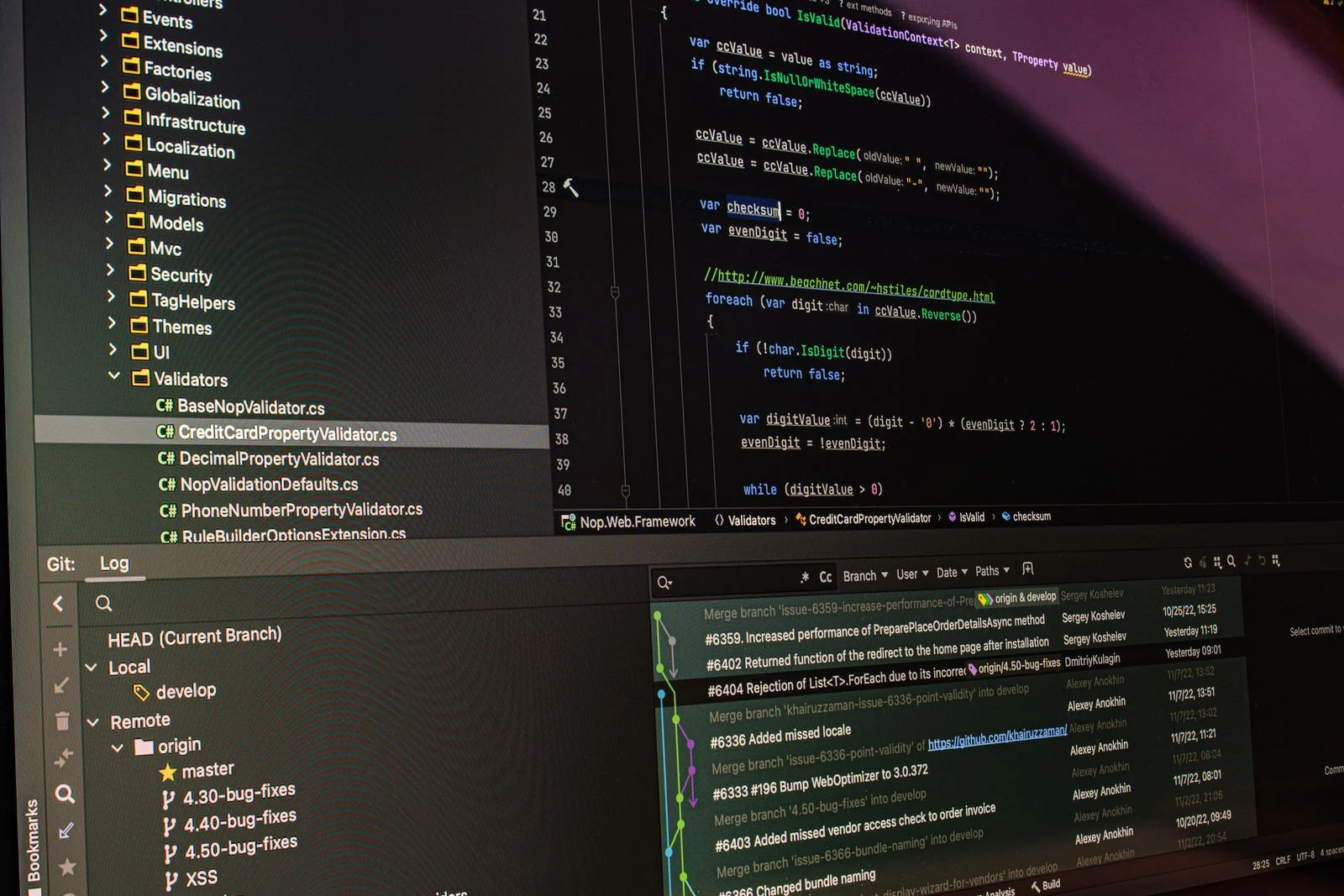
Website code on a screen: WordPress SEO by Top SEO Agency
WordPress siteFast and indexableRankings climbing
What's included

What our WordPress SEO services include

A complete program designed around how WordPress works.

01

WordPress SEO audit

Theme, plugins, hosting, indexing, speed, content and schema reviewed for WordPress-specific issues.

02

SEO plugin setup

Yoast, Rank Math or SEOPress configured correctly for titles, sitemaps, canonicals and schema.

03

Archive and taxonomy control

Tag, category, author, date and attachment pages indexed only where they add value.

04

Speed optimization

Caching, image compression, script cleanup and hosting advice for better Core Web Vitals.

05

Plugin audit

Unused, outdated and heavy plugins removed or replaced.

06

Page builder cleanup

Elementor, Divi and other builder output reviewed for heavy code and hidden content.

07

On-page optimization

Titles, headings, copy and internal links on key pages and posts.

08

Structured data

Organization, LocalBusiness, Article, FAQ and Product schema without duplication.

09

Security and uptime checks

Hacked content, spam injections and downtime issues that harm rankings.

How SEO-friendly WordPress really is

WordPress is one of the most flexible platforms for SEO. You control URLs, titles, headings, structured data, redirects and robots rules, and thousands of themes and plugins extend what the site can do. Large publishers, local businesses and online stores all rank well on WordPress.

That flexibility is also the risk. Poorly coded themes, too many plugins, bloated page builders, cheap hosting and default settings that index every archive can undermine rankings. WordPress SEO is about using the flexibility well.

Choosing and configuring a WordPress SEO plugin

Plugins such as Yoast SEO, Rank Math and SEOPress manage titles, meta descriptions, canonical tags, XML sitemaps, breadcrumbs and schema. They make SEO easier, but default settings are not right for every site, and running more than one SEO plugin causes conflicts. SEO for WordPress is as much about removing clutter as adding content.

We choose one plugin, configure it for your site structure and remove overlapping features from other plugins and the theme.

Permalinks and URL structure

WordPress lets you choose how URLs are built. Post name permalinks, such as /roof-repair/, are clean and descriptive. Date-based URLs make content look dated and add unnecessary folders.

Changing permalinks on an established site requires redirects for every URL, so we only recommend changes when the benefit is clear.

WordPress categories, tags and archives

WordPress automatically creates archive pages for categories, tags, authors, dates and media attachments. On many sites these pages are thin or duplicate, listing the same posts in different ways.

We keep useful category archives indexable with helpful descriptions, and noindex or remove tag, date, author and attachment pages that add no value.

Page speed on WordPress

WordPress speed depends on hosting, theme quality, plugins, images and caching. Shared hosting, heavy themes and dozens of plugins often lead to slow pages and poor Core Web Vitals.

We configure caching, compress images, serve modern formats, defer non-critical scripts, remove unused CSS and advise on hosting upgrades where needed.

Plugins and performance

Every plugin adds code, and some load scripts on every page even when they are only used on one. Outdated plugins also create security risks.

We audit plugins, remove what is not needed, replace heavy plugins with lighter options and limit scripts to the pages that need them.

Page builders and WordPress SEO

Builders such as Elementor, Divi and WPBakery make design easy but often produce heavy HTML, many nested elements and large CSS files. Some hide content in tabs, sliders or accordions that load poorly.

We optimize builder settings, simplify layouts on key templates and make sure important content is visible and crawlable.

WordPress themes and SEO

A good theme is fast, uses clean semantic HTML, supports proper heading structure and works well on mobile. Many multipurpose themes include features and scripts most sites never use.

We review theme quality and recommend fixes or a lighter theme where the current one limits performance.

Internal linking in WordPress

WordPress sites often have many posts but weak links between them and to service pages. Related posts plugins help, but contextual links inside content carry the most value.

We add links from high-traffic posts to service and product pages and connect related content into clear topic clusters.

Structured data explained

SEO plugins add basic schema, and themes or other plugins may add more, sometimes creating duplicates. Local businesses need LocalBusiness schema, publishers need Article schema and stores need Product schema.

We consolidate schema into one clean graph and validate it.

WordPress SEO for local businesses

Local businesses on WordPress benefit from dedicated service and location pages, LocalBusiness schema, embedded maps, reviews and fast mobile pages.

Orillia Window Cleaning reached the top 3 of the map pack across Orillia and nearby areas with a focused local plan.

WordPress for publishers and blogs

Content-heavy sites need strong category structure, internal linking, author pages, fast templates and careful handling of old or thin posts.

Sportskeeda added 1.6 million organic sessions with content scale and structure.

WooCommerce on WordPress

Stores built with WooCommerce add product, category and filter pages to the WordPress site. They need specific product SEO and performance work.

We cover WooCommerce in detail on our WooCommerce SEO page.

Security, spam and hacked sites

Hacked WordPress sites can have hidden spam pages, redirects and links injected into content, which can lead to warnings in search results and ranking losses.

We check for injected content, clean up spam URLs, request reviews in Search Console and recommend security hardening.

Pruning and updating old WordPress content

Many WordPress sites have hundreds of old, thin or outdated posts. These can dilute quality signals and waste crawl budget.

We decide which posts to update, merge, redirect or remove, based on traffic, links and relevance.

Multilingual WordPress

Plugins such as WPML and Polylang add multiple languages. Correct hreflang, translated slugs and localized content are essential for international rankings.

We configure multilingual setups and validate hreflang.

Hosting and server response

Hosting is one of the biggest factors in WordPress performance. Cheap shared hosting often means slow server response times, limited resources during traffic spikes and outdated PHP versions. Even a well-optimized theme will feel slow if the server takes a second or more to respond.

We measure time to first byte and server performance, check PHP and database versions and recommend managed WordPress hosting or server upgrades where the current setup limits speed. Faster servers also let search engines crawl more pages in less time.

Image and media handling

WordPress creates several resized copies of every uploaded image, and many sites upload large photos straight from cameras or phones. Without compression and modern formats, media libraries grow huge and pages load slowly. Attachment pages for every image can also create thousands of thin URLs.

We set up automatic compression and WebP delivery, add lazy loading below the fold, write descriptive alt text on key images and redirect attachment pages to their parent content.

Gutenberg and block themes

The WordPress block editor and full site editing themes produce cleaner code than many older page builders and give more control over templates. Blocks for headings, lists and tables also make it easier to create well-structured content.

For sites moving from classic themes or heavy builders, we plan block-based templates that keep designs flexible while improving speed and structure.

Staging, updates and change control

WordPress core, themes and plugins update frequently. Updates can change output, add scripts or occasionally break templates. Making changes directly on a live site without testing is a common cause of sudden SEO problems.

We use staging environments where available, check key templates after updates and keep a log of changes so any ranking movement can be traced to its cause quickly.

Headless WordPress

Some sites use WordPress as a back end with a separate front end built in a JavaScript framework. This can be fast, but SEO depends on how pages are rendered and how metadata is passed through.

We audit headless builds for rendering, metadata and sitemaps.

Measuring WordPress SEO

We track rankings, organic traffic, conversions, Core Web Vitals, indexing and crawl errors, comparing results before and after each round of improvements.

Monthly reports show what changed and what comes next.

Choosing a WordPress SEO agency

Look for an agency that understands WordPress hosting, plugins, themes and page builders as well as SEO strategy. Ask how they test changes before publishing.

Top SEO Agency works on staging where possible and documents every change.

WordPress page builders and SEO

Page builders like Elementor and Divi make design easy but can add heavy code. We optimize builder settings, remove unused assets and keep important content in crawlable text.

WordPress security and SEO

Hacked WordPress sites can be flagged by Google and lose rankings. Regular updates, strong passwords, security plugins and monitoring protect both the site and its search visibility.

WordPress hosting for SEO

Fast, reliable hosting with server caching and recent PHP versions helps WordPress sites pass Core Web Vitals. Moving off cheap shared hosting is often one of the quickest speed wins.

SEO plugins

WordPress SEO plugins compared

Any of these works well when configured properly. Running two at once causes conflicts.

Yoast

Yoast SEO plan

The most widely used WordPress SEO plugin.

  • →Simple setup
  • →Readability checks
  • →Large community
Rank Math

Rank Math plan

Feature-rich with built-in schema options.

  • →Schema builder
  • →Redirects
  • →Many modules
SEOPress

SEOPress plan

Lightweight with no ads in the dashboard.

  • →Lean code
  • →White label
  • →Clean interface
None

Theme only

Some themes add SEO fields themselves.

  • →Often incomplete
  • →Can conflict
  • →We usually replace
Why it matters

Why WordPress sites need WordPress SEO services

Writer working in a notebook at a computer: WordPress SEO agency by Top SEO Agency
See what is holding your WordPress site back.Get a quote →

WordPress can rank very well, but its flexibility makes it easy to create technical problems.

Plugins slow sites down

Extra scripts hurt speed and rankings. Every plugin adds code, and many load on pages that do not need them.

Archives create duplicates

Tag and date pages dilute quality. Tag, date and author pages often duplicate content already on the site.

Builders add heavy code

Bloated HTML slows pages. Page builders can add heavy HTML and CSS to key templates.

SEO plugins need setup

Defaults are not right for every site. Default settings are not right for every site, and two SEO plugins conflict.

Security issues hurt rankings

Spam injections damage trust. Hacked sites can carry hidden spam pages that damage rankings.

Content grows messy

Old posts need pruning and updates. Old, thin posts dilute quality until they are updated or removed.

Process

Our WordPress SEO process

Six steps from audit to a faster, better-ranking site.

  1. 1AuditTheme, plugins, content.
  2. 2ConfigureSEO plugin and archives.
  3. 3SpeedCaching and cleanup.
  4. 4OptimizeKey pages.
  5. 5ContentPrune, update, create.
  6. 6ReportRankings and leads.
Common mistakes

WordPress SEO mistakes to avoid

Writer working with a laptop and notebook: SEO for WordPress by Top SEO Agency

These are the problems we find most often in WordPress SEO audits.

Two SEO plugins at once

Conflicting tags and schema.

Indexing every archive

Thin, duplicate pages.

Cheap shared hosting

Slow server response.

Unused plugins left active

Security and speed risks.

"Discourage search engines" left on

Site hidden from Google.

Changing permalinks without redirects

Lost rankings.

Checklist

WordPress SEO checklist: 12 checks

Use this checklist to find common WordPress SEO issues.

Writer taking notes while working on a laptop: WordPress SEO expert by Top SEO Agency
  • ✓Search engine visibility setting off
  • ✓One SEO plugin active
  • ✓Post name permalinks
  • ✓XML sitemap submitted
  • ✓Tag and date archives noindexed
  • ✓Attachment pages redirected
  • ✓Caching enabled
  • ✓Images compressed
  • ✓Unused plugins removed
  • ✓Schema not duplicated
  • ✓Key pages internally linked
  • ✓Security checks passed
Common issues

WordPress SEO issues we find most often

How often these problems appear in first WordPress audits.

Writer drafting notes at a home desk: WordPress SEO consultant by Top SEO Agency

Indexed tag and date archives

Very often

Thin archive pages competing with real content.

Too many plugins

Very often

Slow pages and conflicting output.

Page builder bloat

Often

Heavy HTML and CSS on key templates.

Attachment pages indexed

Often

Thin pages for every uploaded image.

Case studies

SEO case studies

Websites growing with Top SEO Agency.

Timeline

Your first 90 days of WordPress SEO

Writer with a notebook and tablet: WordPress SEO service by Top SEO Agency

Our WordPress SEO services start with technical fixes, then build content.

Days 1 to 15: audit

Theme, plugins and content reviewed.

Days 15 to 30: plugin and archives

SEO plugin and indexing fixed.

Days 30 to 45: speed

Caching, images and scripts optimized.

Days 45 to 60: on-page

Key pages optimized.

Days 60 to 75: content

Pruning, updates and new pages.

Days 75 to 90: report

Results reviewed.

Site types

WordPress sites our WordPress SEO company helps grow

Writer using a tablet and laptop: SEO WordPress by Top SEO Agency

WordPress SEO priorities vary by site type.

Local business sites

Service pages and local schema.

Blogs and publishers

Content structure and speed.

Corporate sites

Clean architecture and authority.

WooCommerce stores

Product and category SEO.

Multilingual sites

WPML or Polylang setup.

Decoupled WordPress builds

Rendering and metadata.

Plugins

WordPress plugins and tools we work with

Graph analysis on a laptop screen: SEO optimisation WordPress by Top SEO Agency

We work with the tools your site already uses, or recommend better ones.

Yoast SEO

Titles, sitemaps and schema.

Rank Math

Advanced SEO settings.

SEOPress

Lightweight SEO control.

WP Rocket and caching plugins

Speed and caching.

Redirection

Redirect management.

WPML and Polylang

Multilingual sites.

Site stages

WordPress SEO priorities at each stage

Code editor and version control on a monitor: SEO services for WordPress by Top SEO Agency

What a WordPress site needs from SEO changes over its life. We match the plan to where you are.

New WordPress site

A lightweight theme, one SEO plugin, clean permalinks and core service pages give the site a strong start.

Growing blog or business site

Internal linking, topic clusters and speed work help more content rank as the site expands.

Mature content site

Pruning, updating and consolidating old posts protect quality signals across hundreds or thousands of pages.

Site with a page builder

Builder output is optimized or key templates rebuilt to reduce code weight and improve Core Web Vitals.

Redesign or theme change

Redirects, content parity and template checks protect rankings during the switch.

Adding WooCommerce or languages

Product, category and hreflang setups are planned so new sections fit the existing structure.

Deliverables

What you receive from our WordPress SEO services

Writer journaling with a notebook and tea: WordPress SEO optimization by Top SEO Agency
Want a sample WordPress audit?Request a sample →

Every WordPress SEO engagement produces clear, site-specific outputs.

WordPress SEO audit report

Theme, plugin and content issues.

Plugin configuration

One SEO plugin set up correctly.

Speed improvements

Faster Core Web Vitals.

Archive cleanup

Thin pages handled.

Optimized pages

Key pages and posts improved.

Monthly report

Rankings, traffic and leads.

Tools

WordPress SEO tools we use

Tools included in every Top SEO Agency WordPress plan.

WordPress admin
Direct changes
SEO plugins
Yoast, Rank Math, SEOPress
Google Search Console
Indexing and queries
Screaming Frog
Site crawls
PageSpeed Insights
Core Web Vitals
Query Monitor
Plugin performance
Pricing factors

What affects WordPress SEO pricing

Every plan is quoted after we review your site.

Site size
Pages and posts.
Plugin count
Cleanup needed.
Theme and builder
Code complexity.
Hosting
Performance limits.
Content needs
Pruning and new pages.
Competition
Rival sites.
Writing notes at a desk with sticky notes: WordPress SEO checklist by Top SEO Agency
Hacked sites

WordPress SEO recovery after a hack

Hacked WordPress sites often carry hidden spam pages and links that damage rankings.

Find spam

Injected pages and links located.

Clean

Spam removed and redirects fixed.

Request review

Search Console review requested.

Harden

Updates and security steps to prevent repeats.

Get your WordPress SEO audit →
Compare

In-house team vs a WordPress SEO agency

SEO plugins help with basics. Rankings need strategy, speed work and content.

Top SEO Agency vs plugins
SEO plugin alone
Top SEO Agency
Configuration
Defaults
Set up for your site
Speed
Not covered
Optimized
Archives
Often all indexed
Controlled
Content
Readability scores
Keyword strategy
Links
Not covered
Authority building
Reporting
Green lights
Rankings and leads
Reviews

SEO Client Reviews

★★★★★4.9Verified on Upwork
“Working with Neeraj was great. He is well-informed on the latest updates on SEO and was able to strategize with clear reasons. He is well adept at programmatic SEO and showed great clarity in research to get the work done. I look forward to working with him again.”
Joshan · Product Manager, Sportskeeda
★★★★★5.0Verified on LinkedIn
“Neeraj and his team are experts in SEO and digital marketing. Reach out to them for real experience and expertise in this field. Great communication and daily updates made the work easy and manageable. Thumbs up to them.”
Varun Goel · Founder, Dentalstall
★★★★★5.0Verified on Upwork
“Neeraj is great! He's very quick. I went from posting the job to resolving my SEO issue in one hour. He communicates clearly, is direct, no-nonsense and gets the work done, without angling to cross-sell any long project. Would definitely pursue him for all my SEO needs going forward.”
Sam · Founder, Supanote
★★★★★4.7Verified on Upwork
“Nice work, very professional. Managed to resolve everything we needed and drove a real lift in our organic traffic. Many thanks!”
Nathan · Founder, Agente Imóvel
Industries

WordPress SEO for every industry

WordPress powers sites in every sector. Top SEO Agency grows WordPress sites for automotive, healthcare, legal, home services, software, finance and retail.

Global SEO services

WordPress SEO services in any country

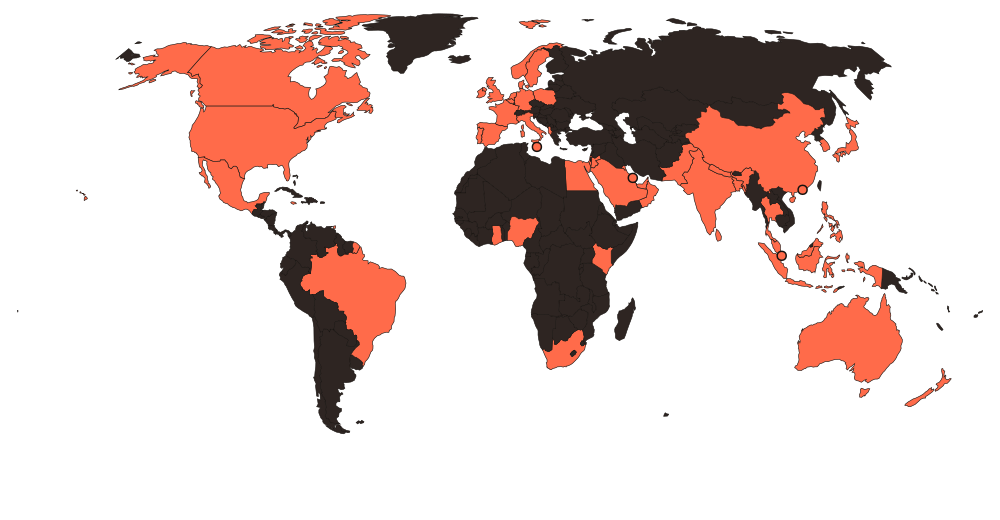
Top SEO Agency optimizes WordPress sites for businesses in 50+ countries.

50+countries with
Top SEO Agency clients

Satisfied SEO clients across North America, Europe, the Middle East, Asia, Africa and Oceania.

USACanadaUKIrelandAustraliaNew ZealandIndiaUAESaudi ArabiaQatarKuwaitBahrainOmanSingaporeMalaysiaThailandChinaHong KongSri LankaPhilippinesJapanSouth KoreaAlbaniaItalyGermanyFranceSpainNetherlandsSouth AfricaNigeriaKenyaJamaicaBrazil
World map highlighting countries where Top SEO Agency serves SEO clients
Countries with Top SEO Agency clientsAvailable on request

National and local SEO for American businesses in some of the most competitive search markets in the world.

SEO for Indian brands selling at home and abroad, including Hindi and regional language search.

Search strategy for UK businesses, from London service firms to national eCommerce brands.

English and French SEO for Canadian businesses, with local search built for each province.

SEO for Australian businesses in metro and regional markets, researched on Google.com.au.

Multi-country and multi-language SEO for brands entering new markets, with hreflang and local content.

Learning hub

WordPress SEO learning hub

Free WordPress SEO guides from Top SEO Agency.

Glossary

WordPress SEO glossary

The WordPress SEO and search terms you will see in our reports, each explained in one line.

Full SEO glossary →
01
Robots.txt
A file that tells crawlers which parts of a site they may visit.
02
XML sitemap
A file listing the URLs you want search engines to find.
03
Canonical URL
The preferred version of a page when similar versions exist.
04
Core Web Vitals
Google's metrics for loading, responsiveness and visual stability.
05
301 redirect
A permanent redirect that sends users and ranking signals to a new URL.
06
Noindex
A tag that tells search engines not to show a page in results.
07
Search crawler
A bot that discovers and reads pages for a search engine.
08
404 error
The status code a server returns when a page cannot be found.
09
Meta tags
HTML tags that describe a page to search engines, such as the title and description.
10
Alt text
A text description of an image for accessibility and search.
Blog

WordPress SEO articles and guides

View all articles →
Related services

Services related to WordPress SEO

FAQ

WordPress SEO services FAQs

Detailed answers about WordPress SEO from Top SEO Agency.

Which SEO plugin is best for WordPress?

+

Yoast SEO and Rank Math are both reliable. The plugin matters less than how it is configured and what content and technical work sits behind it.

What do WordPress SEO experts check first?

+

Hosting and speed, theme and plugin bloat, the SEO plugin setup, indexing of tags and archives, permalink structure, image optimization, schema and internal linking.

What are WordPress SEO services?

+

WordPress SEO services grow organic traffic for WordPress sites. Top SEO Agency covers audits, plugin setup, archive control, speed, plugin and builder cleanup, on-page work, schema and security checks.

Is WordPress good for SEO?

+

Yes. It offers strong control, but plugins, builders and default settings need careful management.

What does a WordPress SEO agency do each month?

+

Each month we fix technical issues, keep plugins and speed in check, improve and publish content, strengthen internal links and schema and report rankings, traffic and leads.

Should tag pages be indexed?

+

Usually not, unless they have unique value and content.

Do page builders hurt SEO?

+

They can add heavy code. We optimize builder output and key templates.

How can I speed up WordPress?

+

Good hosting, caching, image compression, fewer plugins and deferred scripts.

Can too many plugins hurt SEO?

+

Yes. They can slow the site and create conflicts or security risks.

Do you work on staging sites?

+

Yes, where available, so changes are tested before going live.

Can you fix a hacked WordPress site?

+

We identify injected spam, clean URLs and help recover search visibility.

Do you handle multilingual WordPress?

+

Yes, with WPML or Polylang and correct hreflang.

Do you work with WooCommerce?

+

Yes. See our WooCommerce SEO service for store-specific work.

Should I change my permalinks?

+

Only with a clear benefit and full redirects.

How long does WordPress SEO take?

+

Technical fixes can help within weeks. Content gains usually build over 3 to 6 months.

Do you work with headless WordPress?

+

Yes. We audit rendering, metadata and sitemaps.

Can you migrate a site to WordPress?

+

Yes, with full redirect mapping and monitoring.

How much do WordPress SEO services cost?

+

Pricing depends on site size, plugins, theme and content. Top SEO Agency sends a fixed scope after we review your site.

Can WordPress handle large sites for SEO?

+

Yes, with good hosting, caching and clean structure. Many large publishers and stores run on WordPress successfully.

Do you fix slow WordPress sites?

+

Yes. We review hosting, caching, plugins, images and theme code, then fix the biggest causes of slow loading.

Do WordPress themes affect SEO?

+

Yes. Heavy themes slow pages and some output poor heading structure. A lightweight, well coded theme makes SEO easier and faster to achieve.

Can you migrate my site to WordPress without losing rankings?

+

Yes. We map old URLs to new ones, set redirects, carry over metadata and monitor rankings after launch.

Get started

Get your free WordPress SEO audit

Within 1 business day a senior Top SEO Agency strategist sends you a recorded walkthrough of your website, with a prioritized fix list you can act on straight away.

⚙Technical healthIndexing, speed and crawl errors
⌕Keyword gapsTerms your competitors own
✦AI visibilityChatGPT, Gemini, Perplexity
★★★★★4.9/5 from 120+ brands
Tell us about your business
No sales pitch. No obligation. Reply within 1 business day.
Talk to an SEO expert